OCR workspace
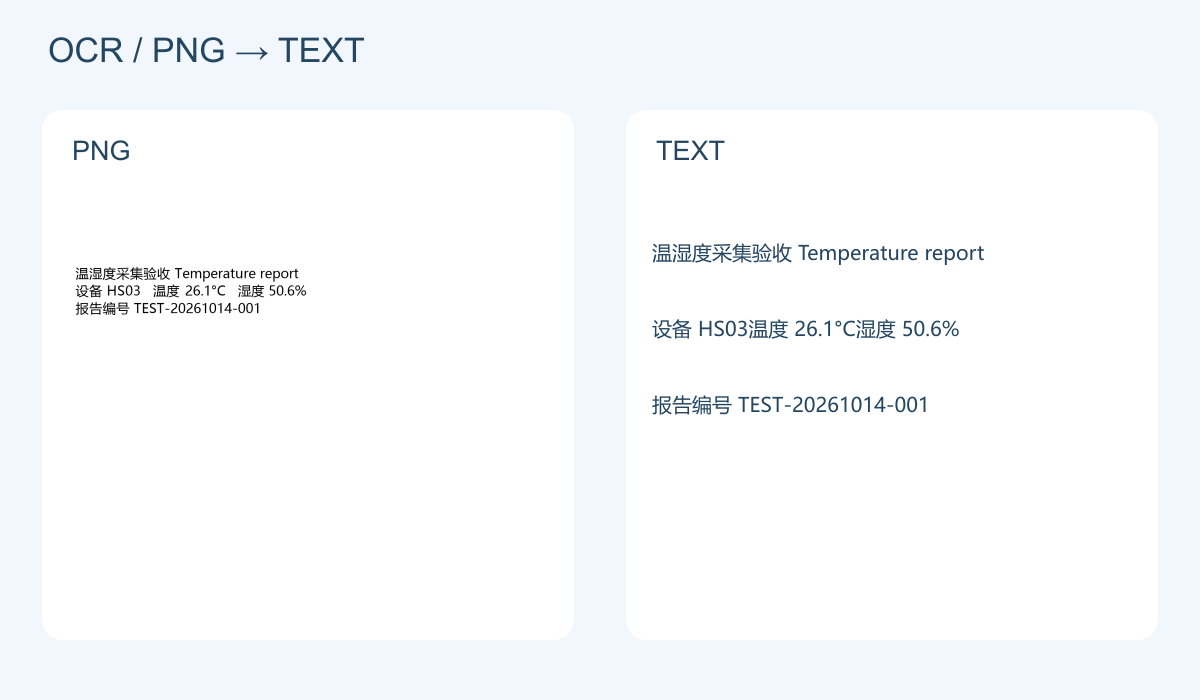
Recognize Chinese and English in scanned PDFs and images. Review text and numbers against the original, then export PDF or Word. OCR API access is available.
Review recognized content
Search recognized text, inspect low-confidence regions, check numbers and amounts, save drafts and recognize selected regions again.
Export for layout or editing
Choose fixed layout or editable paragraphs with supported ruled tables. Seals, handwriting and content that cannot be reliably separated stay as images. Review complex pages.
File privacy cleanup
Names, faces, number plates, comment authors, tracked changes and attachments need separate review. This tool does not automatically conceal visible content or equate successful processing with full anonymity.
Structured content and source review
Extract text, headings and supported tables with references to original pages or Office parts. Search the original text and save templates that match explicitly labelled fields. Missing values stay empty and multiple matches require review. Download JSON, Markdown and per-table Excel or CSV; Excel stores recognized values as text. Images and unsupported features remain in the original. Keep the sources: deleting a source stops access to its derived content. OCR structure output supports up to 50 pages within subscription limits, with one combined quote and automatic batching. Search and repeat downloads of the same result do not start another processing job. GPU preference uses a compatible GPU when available; GPU-only mode never silently falls back to CPU. This is not automatic question answering or guaranteed perfect layout recovery.
Formats, limits and help
Supported scope
- Access and processing
- Files used in cloud tasks are uploaded for processing. Sign in and choose a workspace. Review credits before confirming. File size, page and storage limits depend on the selected operation and subscription; the current upload and confirmation screens show the applicable limits.
- Limits and conditions
- Recognize Chinese and English in scanned PDF, PNG and JPEG files. One-step conversion accepts up to 50 pages within current subscription limits: choose PDF or Word and confirm one combined OCR and export quote. Longer documents are batched automatically; internal splitting and retries do not add charges. Selected-region review remains available for up to 10 pages. Scan enhancement is enabled by default. Output preserves pictures and page positions where possible; uncertain text regions may remain images. Check names, dates, amounts and complex tables against the original. Extract text, headings and supported tables with references to original pages or Office parts. Search the original text and save templates that match explicitly labelled fields. Missing values stay empty and multiple matches require review. Download JSON, Markdown and per-table Excel or CSV; Excel stores recognized values as text. Images and unsupported features remain in the original. Keep the sources: deleting a source stops access to its derived content. OCR structure output supports up to 50 pages within subscription limits, with one combined quote and automatic batching. Search and repeat downloads of the same result do not start another processing job. GPU preference uses a compatible GPU when available; GPU-only mode never silently falls back to CPU. This is not automatic question answering or guaranteed perfect layout recovery.
| Input | Output / result |
|---|---|
| PDF, PNG, JPEG | PDF; DOCX |
| PDF, PNG, JPEG | JSON, Markdown, XLSX, CSV (ZIP) |
Reviewed format routes, not a promise for every file. Container extensions can contain different codecs; encrypted, damaged or unsupported content may fail. Available choices are checked again when you use the tool.
How to use
- Choose an operation and workspace; add a compatible file.
- Set the output and options, then review the scope and credits.
- Run the task, review the result and download the file.
Example
Upload a 12-page scan once, choose Word, confirm the combined credits and download one complete file after automatic processing. Compare the result with the original before use.
Frequently asked questions
Are my files uploaded?
Files used in cloud tasks are uploaded for processing. Sign in and choose a workspace. Review credits before confirming. File size, page and storage limits depend on the selected operation and subscription; the current upload and confirmation screens show the applicable limits.
What scope and limitations should I check?
Recognize Chinese and English in scanned PDF, PNG and JPEG files. One-step conversion accepts up to 50 pages within current subscription limits: choose PDF or Word and confirm one combined OCR and export quote. Longer documents are batched automatically; internal splitting and retries do not add charges. Selected-region review remains available for up to 10 pages. Scan enhancement is enabled by default. Output preserves pictures and page positions where possible; uncertain text regions may remain images. Check names, dates, amounts and complex tables against the original.
What if a file cannot be processed?
Keep the original. Check the input format, selected options and displayed limits; save a compatible copy in the source application if needed. When reporting an error, include the diagnostic ID if shown. Never send a password or private document in a public report.
Reviewed: 2026-10-24
A worked example